 FarryOn
Connect your email
Connect your inbox once and Farry can tell you what came in today, read emails out, and send replies by voice — always reading the email back to you first. You can connect up to two mailboxes, for example personal and work.
Which email works?
| Your email | What you need |
|---|---|
| Gmail (@gmail.com) | A Google App Password — steps 1 and 2 below. |
| Yahoo Mail | A Yahoo app password — see step 5. |
| Hostinger email | Your normal mailbox password. |
| Other email on your own domain | The mailbox password and the server names from your email provider (step 5). |
| Outlook, Hotmail, Live (Microsoft) | Not supported yet. Microsoft no longer allows apps to sign in with a password. |
1Turn on 2-Step Verification (Gmail)
Google only offers app passwords when 2-Step Verification is on.
- Open myaccount.google.com/security and sign in with the Gmail you want to connect.
- Under How you sign in to Google, look at 2-Step Verification.
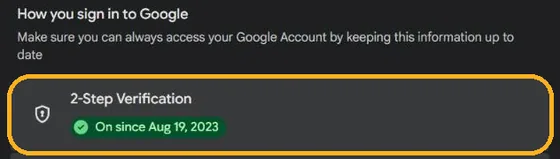
If it says On, go to step 2. If it's off, tap it, choose Turn on, and follow Google's steps (usually a code sent to your phone).
2Create a Gmail app password
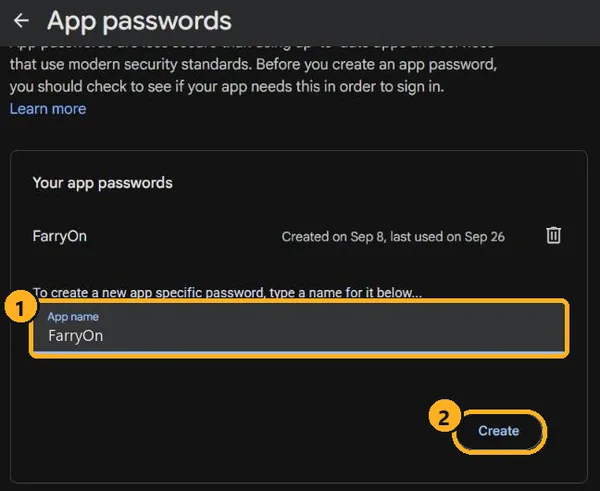
- Open myaccount.google.com/apppasswords. Google may ask you to confirm it's you again — that's normal.
- In App name (1), type FarryOn.
- Tap Create (2).
- Google shows a box titled “Generated app password” with a
16-letter code in four groups, like
abcd efgh ijkl mnop. Copy it. - Tap Done.
3Add the account in FarryOn
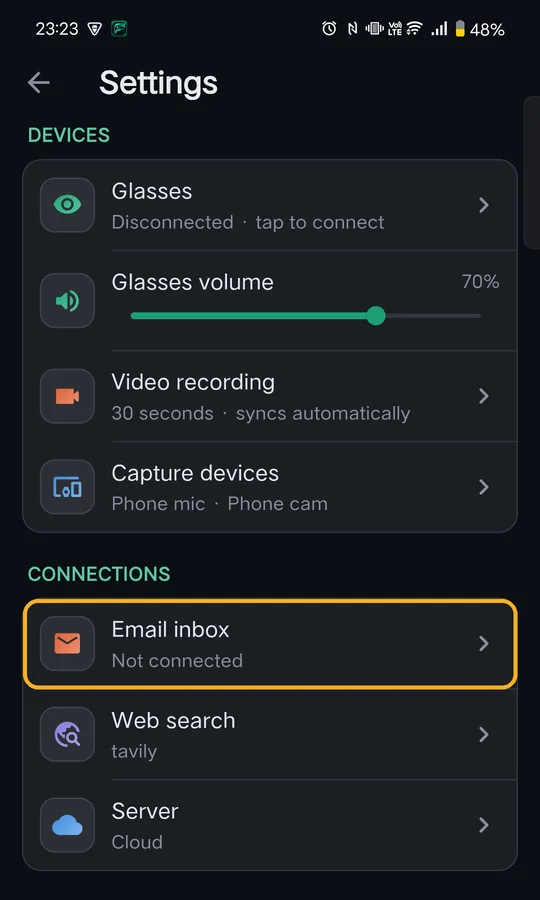
In FarryOn, open the menu ⋯ → Settings. Under Connections, tap Email inbox.
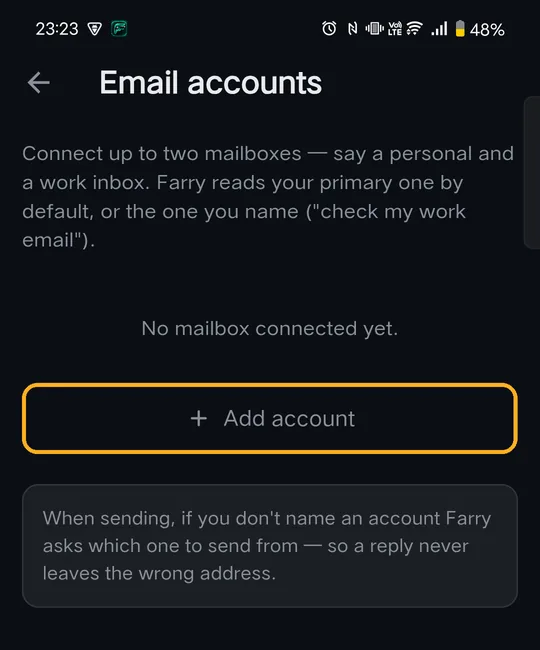
Tap + Add account.
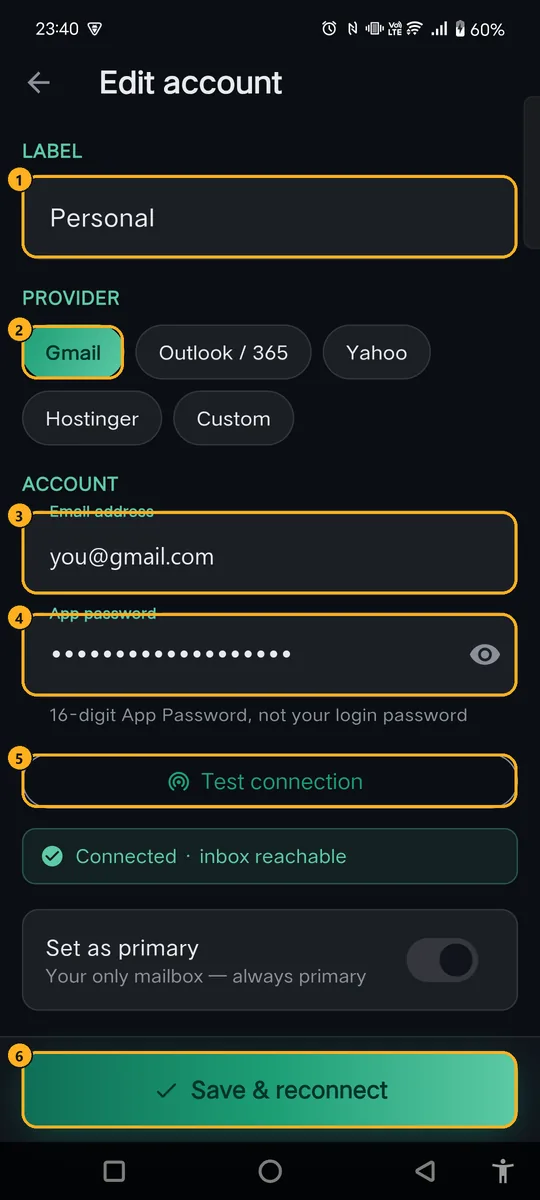
Set as primary: with two mailboxes, the primary one is used when you don't name one.
4Test and save
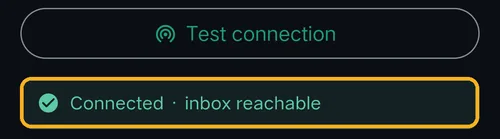
Tap Test connection. After a few seconds you should see:
Then tap Save & reconnect. Your mailbox appears with Ready:
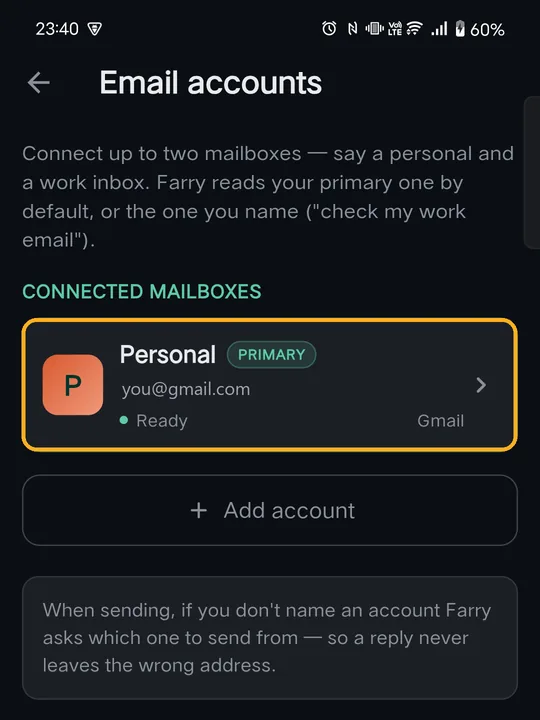
That's it. To add a second mailbox, tap + Add account again. To change or remove one, tap its card — Remove account is at the bottom.
- Check the email address is complete and correct.
- Paste the app password, not your normal password.
- Check the right Provider is selected.
- Still failing? Create a new app password (step 2) and try again.
5Yahoo, Hostinger and other email
Yahoo Mail
- Sign in at login.yahoo.com/account/security.
- Choose Generate app password (or Generate and manage app passwords).
- Type FarryOn as the name and tap Generate password. Copy the code.
- In FarryOn choose provider Yahoo, enter your Yahoo address and paste the code.
Hostinger email
Choose provider Hostinger, then enter your full email address and your normal mailbox password. Forgot it? Reset it in Hostinger: hPanel → Emails → your domain → the mailbox → Change password.
Any other email (your own domain, cPanel, Zoho…)
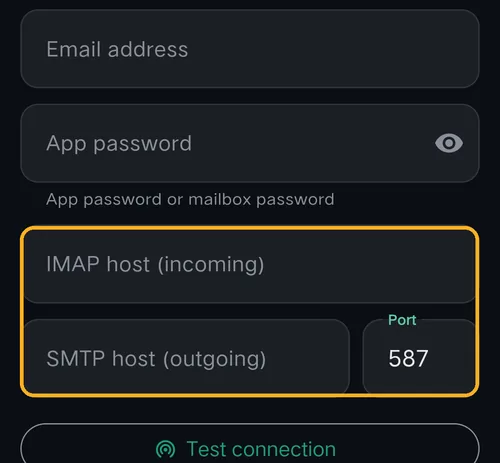
Choose provider Custom. Two more boxes appear. Your email provider's help pages list these values:
| Box | What to enter |
|---|---|
| IMAP host (incoming) | e.g. imap.yourprovider.com or mail.yourdomain.com |
| SMTP host (outgoing) | e.g. smtp.yourprovider.com |
| Port | 587 (most providers) or 465 |
| App password | Your mailbox password, or an app password if your provider uses them |
6Use email with Farry
Just ask, in your own words. For example:
| Say | Farry does |
|---|---|
| “What's in my inbox today?” | A short summary of today's email. |
| “Read my latest email from Ahmed.” | Finds it and reads it out. |
| “Any emails about my order this week?” | Searches by keyword and time. |
| “Email Sara that I'll be ten minutes late.” | Finds Sara's address, writes the email and reads it back. |
| “Check my work email.” | Uses the mailbox labelled Work. |
?If something goes wrong
| What you see | What to do |
|---|---|
| No “App passwords” page on Google | Turn on 2-Step Verification (step 1). Work/school accounts: ask your admin. |
| Test connection fails | Use the app password, not your normal password; check the address and provider (step 4). |
| It worked before, now it doesn't | Changing your Google password deletes all app passwords. Create a new one and paste it in. |
| The card says “Needs app password” | Tap the card, paste the app password, test, save. |
| Outlook / Hotmail won't connect | Microsoft accounts aren't supported yet. |
| Farry says email isn't connected | Settings → Email inbox should show a card with Ready. |
Still stuck? Message us on WhatsApp — a real person answers.
Sat–Thu, 10:00–19:00 GST